
Studio Analysis · Tools
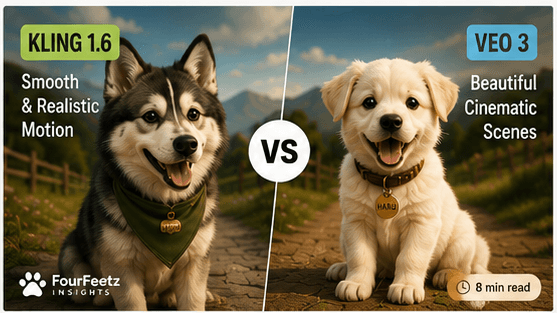
Kling vs Veo
A production-planning comparison of the questions creators should verify before choosing either tool for motion, continuity, camera direction, and editability.
Quick Verdict
This page does not assign a winner or a numerical score. It organizes the production questions that should be checked with your own authorized material before either tool is selected for a shot.
Fast animal motion
Check anatomy, ground contact, and readable action
Character continuity
Compare identity through the full clip and adjacent shots
Camera direction
Verify the move starts, settles, and leaves an edit point
Prompt response
Change one visible instruction at a time
Workflow fit
Compare accepted material, not generation volume
Current terms
Confirm access, rights, credits, and limits live
Why We Compared Them
FourFeetz uses AI video tools inside a controlled production workflow, not as one-click filmmaking machines. A useful comparison therefore begins with the shot that must survive editing, continuity checks, and repeated character use.
The repository does not contain a matched Kling-and-Veo benchmark set that supports a universal performance ranking. The sections below are a planning framework: hold the reference and shot purpose steady, then record the first visible failure and the editorial value of each candidate.
Comparison Setup
Use the same production mindset as the HARU workflow: prepare the first frame carefully, ask for one subject action, define one camera behavior, then judge whether the output can connect to the next shot.
Review conditions
- Use the same approved first-frame direction wherever the tools permit it
- One clear subject action per generation
- One clear camera instruction per comparison
- Warm daylight or golden-hour lighting language
- Review based on edit-ready candidates, not an impressive isolated output
Copyable prompt block
A small original animal character walks along a quiet country road at golden hour. The camera slowly tracks beside the character from a low side-profile angle. Natural body movement, soft warm light, gentle wind in the environment, cinematic 35mm lens, shallow depth of field, calm emotional tone.Walking Motion
Walking shots are deceptively difficult because the motion must feel natural while the body shape remains stable. For either tool, inspect foot order, ground contact, body scale, direction, and whether the character settles into an editable final pose.
Kling review question
Does direct motion wording preserve anatomy and a clean stopping point?
Veo review question
Does cinematic camera wording preserve framing and character identity through the full walk?
Running Motion
Running increases the difficulty for any animal-character model. Speed can hide extra limbs, sliding contact, scale changes, and a camera move that no longer matches the planned direction. Treat fast action as a separate production problem rather than assuming the result of a walking shot will transfer.
Close-Up Review
Close-ups make small identity changes easier to see. Compare muzzle width, eye spacing, ear placement, accessories, coat texture, and the emotional tone of the reference through the entire clip.
Kling
Useful for expressive variations, but detail drift needs careful review.
Review criterion
Approve a close-up only when identity, light, and camera distance remain coherent with adjacent shots.
Camera Movement
Camera behavior should be evaluated independently from subject performance. A slow track, restrained push, or locked frame must begin and settle cleanly without changing lens behavior or overwhelming the character action.
Use camera instructions that could exist in the physical world, and compare the opening and closing composition before judging surface polish.
Prompt Following
Prompt following must be judged against visible instructions, not the overall attractiveness of a clip. Change one action or camera instruction at a time so the reason for a difference remains legible.
For both tools, short prompts outperformed overloaded prompts. A good first frame plus one clear movement direction was more reliable than a long paragraph full of competing instructions.
Workflow Speed
Workflow speed depends on access, queue conditions, settings, the number of rejected candidates, and the amount of repair required in the edit. Compare the path to an accepted shot in your own project rather than relying on a universal speed claim.
Iteration check
Record what changed, why a candidate failed, and whether the next attempt tests one known variable.
Finishing check
Place the accepted candidate in the edit before deciding that surface polish reduced total work.
What Worked Best
Active Motion
Check whether fast movement keeps paws, body shape, direction, and a clean stopping point.
Cinematic Framing
Check whether the requested camera path remains physical, restrained, and editable.
Simple Actions
Use one primary subject action so a failure can be located and revised.
Prepared References
Approve the starting image before asking prompt text to solve identity and staging together.
What Did Not Work Well
Too Many Instructions
Layering several actions, camera moves, and style requests reduced control.
Fast Anatomy Changes
Complex running, jumping, and object interaction still needed repeated attempts.
Long Continuity Assumptions
Neither tool replaced manual planning for multi-shot character continuity.
One Perfect Output
A single attractive result cannot establish repeatability or continuity by itself.
Verdict
Neither tool receives a universal FourFeetz score here. Choose the candidate that passes the current shot's identity, anatomy, camera, continuity, and edit requirements with the clearest revision path.
Current availability, rights, pricing, and output limits must be checked in each service before production. A tool comparison is useful only when the reference, shot purpose, and acceptance criteria are visible.
Related Articles
All Studio Analysis →Continue Exploring
Runway Gen-4.5 Review
The current FourFeetz review of character consistency, motion quality, and camera control.
Open
A Repeatable AI Video Workflow
A production pipeline for planning, generating, editing, and publishing AI video.
Open
Writing Better Image-to-Video Prompts
Prompt structure for movement, lighting, environment, and continuity.
Open
Camera Movement Guide for AI Filmmakers
A guide to tracking shots, push-ins, orbits, pans, tilts, and cinematic AI camera movement.
Open